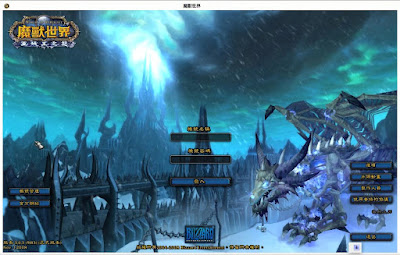
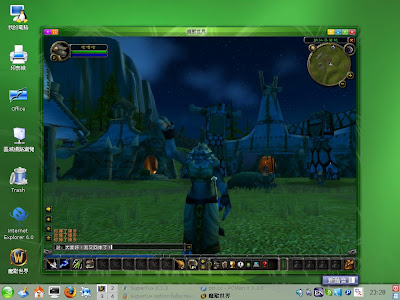
World of Warcraft 魔獸世界--號稱最多人玩的線上遊戲
對於一個還沒有任何角色升到 35 級以上的人來說,能玩到現在也算奇蹟吧!
(如果您送我一些金幣、寶物...我說不定會升快一點...(羞))
在 Linux 下玩 WoW 是使用 wine 模擬
所以安裝前先裝好您的 wine
# zypper in wine
因為 WoW 要在 xp 下跑,請用
$ winecfg
將 windows 調成 xp
本來只要放入光碟右鍵點 Installer.exe
選擇『開啟用...』格子裡填入 wine 就可以了
或者用命令行
但是這次好像因為光碟格式的關係,自動掛載的會少很多檔案
導致無法安裝
$ cd /media/Lich\ King/
$ ls
DirectX  Installer.exe
$ wine Installer.exe
fixme:ole:OleCreateStaticFromData (not shown), stub!
並出現
Sorry, the installer was unable to start up.
No installer data could be found. If this problem persists, please contact Blizzard Technical Support.
google wine lich king 您可以找到許多資料
我根據
http://ubuntuforums.org/showthread.php?t=980629&page=2的做法成功的安裝了:
# su
# mount
...
/dev/sr0 on /media/Lich King type udf (ro,nosuid,nodev,uid=1000)
您會看見您的光碟裝置
首先要先卸載,然後使用下列參數再重新掛載光碟
# umount /dev/sr0
# mkdir /mnt/temp
# mount -t udf -o ro,unhide,uid=1000 /dev/sr0 /mnt/temp
# cd /mnt/temp/
# ls
autorun.inf  Installer.exe         Installer Tome 4.mpq  Movies.mpq
DirectX      Installer Tome 2.mpq  Installer Tome 5.mpq
disc.ico     Installer Tome 3.mpq  Installer Tome.mpq
# exit
您會發現消失的檔案都出現了
此時就可以順利安裝了
$ cd /mnt/temp/
$ wine Installer.exe
不知道為什麼會抓到我的注音體(專為國小學童嗎?)
這些空格是問您要不要裝 DirectX 9
因為我們是用 opengl 模式,所以選中間那個口口口口口口(
N)
需要硬碟不少,所先把原本舊版的 WoW 刪除
在 ~/.wine/drive_c/Program\ Files/World\ of\ Warcraft/
選擇安裝位置,就用預設值即可
開始安裝了
若要看完整抓圖,點上面那個圖到相簿裡看(就是大概劇情背景介紹)
最後終於完成了
開始更新
要去睡個覺才會更新完成
要開始玩之前,別忘了修改
~/.wine/drive_c/Program Files/World of Warcraft/WTF/Config.wtf 加上
SET gxApi "opengl"
我是搭配
ibus 輸入法,所以另行編寫一個啟動程序
launch-wow.sh
#!/bin/sh
export XMODIFIERS="@im=ibus"
ibus &
env WINEPREFIX="/home/swyear/.wine" wine "C:\\Program Files\\World of Warcraft\\Launcher.exe"
若不要看公告,用這個
#!/bin/sh
export XMODIFIERS="@im=ibus"
ibus &
env WINEPREFIX="/home/swyear/.wine" wine "C:\\Program Files\\World of Warcraft\\Wow.exe"
$ chmod +x launch-wow.sh
$ cp launch-wow.sh ~/bin
開啟終端機執行 launch-wow.sh