顯示具有 sub-pixel hinting 標籤的文章。 顯示所有文章

2011年11月22日 星期二

openSUSE 12.1 體驗報告(6)

Firefox 的 Oxygen 佈景主題
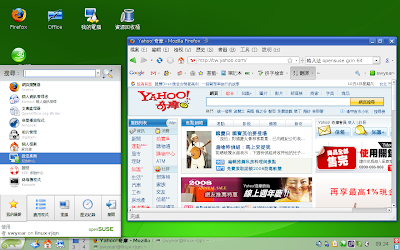
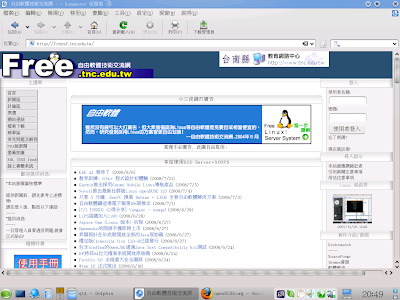
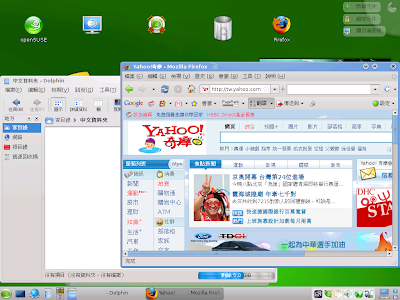
原本的 Firefox 長這個樣子:

請由 Firefox 的 工具--附加元件--搜尋:oxygen
您就可以找到 Oxygen KDE 的佈景主題了

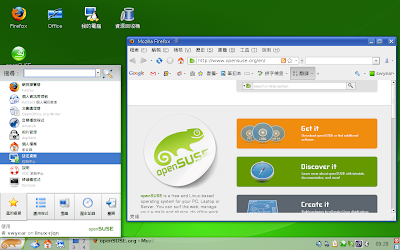
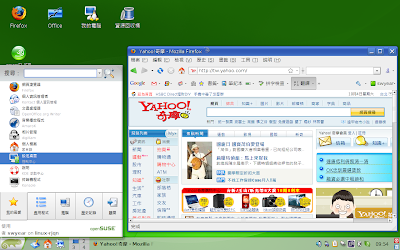
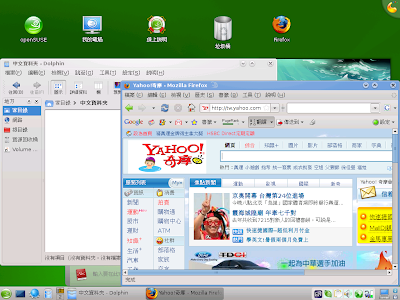
安裝完後重新啟動,您就會看到 Firefox 的新風貌了


次像素字形顯示 subpixel hinting
參考
http://forums.opensuse.org/english/get-technical-help-here/applications/468189-firefox-fonts.html
步驟:
加入 http://repos.opensuse-community.org/subpixel/openSUSE_12.1/ 套件庫
YaST--軟體套件庫--新增--指定 URL--套件庫名稱自訂--位址如上--下一步 就完成了
接著開啟軟體管理
檢視--套件庫--選擇 subpixel (或您自己的命名)
選取 fontconfig-feature-subpixel-hinting
然後按上方的『切換系統套件』
重新登入
我覺得字變得清晰了

多媒體播放我用了 umplayer 和 vlc
以前習慣用的 smplayer 在播放老婆的 DV 傳過來的影片時畫面停格
但是直接用 mplayer 就不會
用 kaffeine 則只有一開始有聲音

把 Nepomuk 搜尋模組也停用了

如果想用 scim(-bridge) 可以直接使用,在安裝中文語系時就會自動安裝
但是 12.1 DVD 中附的 scim 沒有包含 gtk3-im-module 的補釘
所以在 gtk3 應用程式中會使用 xim 的備用模式,
您可以將 scim 及 scim-bridge 套件升級到 M17N 的套件庫中的
就可以在 GNOME 3 中輸入,也會在 GNOME 3 的系統匣顯示
若要使用 scim-bridge:
$ echo "export INPUT_METHOD=scim-bridge" >> ~/.profile

遇到 gtk3 應用程式時會 fallback 到 scim 模組
若要使用 scim:
$ echo "export INPUT_METHOD=scim" >> ~/.profile

scim 輸入法在 gnome 3 運作的圖
寄件者 gnome 3 input method

要在桌面搜尋有個小技巧,輸入中文後 Ctrl+space 切換成英文,就會送出字
不過因為無法選字,實用效果不大
寄件者 gnome 3 input method

gedit 中可以輸入,表示 gtk3 輸入模組有正確載入
寄件者 gnome 3 input method

gcin 在 gnome 3 下運作的情況
寄件者 gnome 3 input method

寄件者 gnome 3 input method

ibus 在 gnome 3 運作的情況:
寄件者 gnome 3 input method

寄件者 gnome 3 input method

ibus-chewing 在 libreoffice-gnome 界面下會崩潰
您可以移除這個套件,界面看起來會不大一樣而已
寄件者 gnome 3 input method

安裝了 ibus-gjs 後,用 gnome-tweak-tool (Advanced Settings) 來開啟
寄件者 gnome 3 input method

這是一個 ibus 在 gnome 3 的整合界面,不會顯示個別輸入法而是顯現您的語系
寄件者 gnome 3 input method

2010年7月17日 星期六

安裝完 openSUSE 11.3 之後

這些都是我的習慣性動作,供各位參考
剛安裝完成:
寄件者 openSUSE 11.3

整理一下套件庫,把該新增的該修改的整理一下
寄件者 openSUSE 11.3

習慣上我只留著 Update 會自動重新整理
Debug 和 Source 我都停用
若遇到安裝檔案找不到時
再用 zypper ref 來重新整理
關於套件庫的一些觀念可以參考:
http://help.opensuse.org/ksuseinstall/
新增的套件庫如下:
myrepo.repo
[download.videolan.org-SuSE]
name=VideoLan Repository
enabled=1
autorefresh=0
baseurl=http://download.videolan.org/pub/videolan/vlc/SuSE/11.3/
path=/
type=rpm-md
keeppackages=0

[packman.inode.at-suse]
name=Packman Repository
enabled=1
autorefresh=0
baseurl=http://packman.inode.at/suse/11.3/
path=/
type=rpm-md
keeppackages=0

[subpixel]
name=subpixel
enabled=1
autorefresh=0
baseurl=http://opensuse-community.org/subpixel/openSUSE_11.3
path=/
type=rpm-md
keeppackages=0

[swyear]
name=swyear
enabled=1
autorefresh=0
baseurl=http://download.opensuse.org/repositories/home:/swyear/openSUSE_11.3
path=/
type=rpm-md
keeppackages=0

您可以用
# zypper ar myrepo.repo

來匯入上方的這些套件庫
或直接由網路上匯入:
# zypper ar http://dl.dropbox.com/u/6331820/myrepo.repo

接著開啟軟體管理,會有些自動加入的,就先裝一裝吧
寄件者 openSUSE 11.3

接下來您可以繼續用圖形介面搜尋安裝
但我比較喜歡用命令行

subpixel hinting
在液晶螢幕上讓反鋸齒字型更銳利清晰
若喜歡用點陣字就不必了
這程式可能會和某些特效衝突(以前遇過,忘了)
安裝時有時會要您確認變更廠商(供應商),就是要確認這個程式以後要用這個安裝來源
# zypper in --from subpixel freetype2-feature-subpixel-hinting
正在建立套件庫 'VideoLan Repository' 的快取 [完成]
正在建立套件庫 'Packman Repository' 的快取 [完成]
正在建立套件庫 'subpixel' 的快取 [完成]
正在建立套件庫 'swyear' 的快取 [完成]
正在載入套件庫資料...
讀取已安裝的套件...
正在解決套件相依性...

問題: freetype2-feature-subpixel-hinting-2.4.0-999.subpixel.19.1.i586 需要 libfreetype6 = 2.4.0-999.subpixel.19.1,但無法提供此需求
無法安裝的提供者: libfreetype6-2.4.0-999.subpixel.19.1.i586[subpixel]
解決方案 1:安裝 libfreetype6-2.4.0-999.subpixel.19.1.i586 (並變更廠商)
openSUSE --> obs://10.8.0.1/subpixel
解決方案 2:請勿安裝 freetype2-feature-subpixel-hinting-2.4.0-999.subpixel.19.1.i586
解決方案 3:藉由忽略某些它的相依性破壞 freetype2-feature-subpixel-hinting

使用'數字'選擇上列的解決方法,或取消(使用'c') [1/2/3/c] (c): 1
正在解析相依性...
正在解決套件相依性...

將會安裝下列新的套件:
freetype2-feature-subpixel-hinting

下列套件將會升級:
libfreetype6

下列套件將會變更供應商:
libfreetype6 openSUSE -> obs://10.8.0.1/subpixel


1 套件將升級, 1 新的, 1 將變更供應商.
全部下載大小: 355.0 KiB。 完成操作後,將釋出 120.0 KiB。
要繼續嗎? [y/n/?] (y): y

安裝完後要開啟次像素顯示
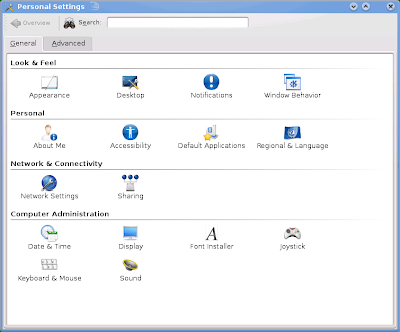
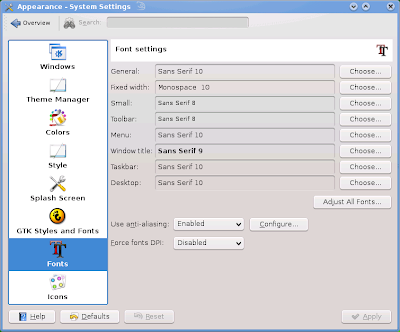
KDE 和 GNOME 都有圖形介面可用
寄件者 openSUSE 11.3

寄件者 openSUSE 11.3

若是 LXDE 或其他桌面,可以直接
# ln -s /etc/fonts/conf.avail/10-sub-pixel-rgb.conf /etc/fonts/conf.d/
# fc-cache

在這裡 10-sub-pixel-rgb.conf 要看您的螢幕是用那一種
可能會是 bgr, vrgb 或 vbgr
字型解析度依照您個人喜好調整
KDE 預設只有幾種選擇
若不滿意可以在 $HOME/.Xresources (通常沒這個檔案要自己產生)
自行設定
Xft.dpi: 112.0


libdvdcss
播放 DVD 會用到
# zypper in --from 'VideoLan Repository' libdvdcss
正在載入套件庫資料...
讀取已安裝的套件...
正在解決套件相依性...

將會安裝下列新的套件:
libdvdcss

1 新套件將被安裝.
全部下載大小: 18.0 KiB。 完成操作後,將增加 34.0 KiB 的使用。
要繼續嗎? [y/n/?] (y): y


Chinese
習慣上我會刪除 scim 安裝 gcin
pcmanx-gtk2 是為了方便上 BBS
chinese-fonts-setting 則是我個人的字型設定檔
例如我偏好使用 Droid Sans Fallback 來顯示中文
# zypper in gcin pcmanx-gtk2 chinese-fonts-setting -scim
正在載入套件庫資料...
讀取已安裝的套件...
正在解決套件相依性...

問題: scim-tables-0.5.8-257.1.i586 需要 libscim-1.0.so.8,但無法提供此需求
解決方案 1:下列行動將被執行:
反安裝 scim-tables-0.5.8-257.1.i586
反安裝 plasma-addons-scim-4.4.4-1.3.i586
反安裝 mlterm-scim-2.9.4-7.2.i586
反安裝 scim-bridge-0.4.15-121.1.i586
反安裝 scim-chewing-0.3.3-6.1.i586
反安裝 scim-input-pad-0.1.1-279.1.i586
反安裝 scim-m17n-0.2.2-235.1.i586
反安裝 scim-pinyin-0.5.91.20060705-272.1.i586
反安裝 scim-qtimm-0.9.4-278.1.i586
反安裝 scim-bridge-gtk-0.4.15-121.1.i586
反安裝 scim-bridge-qt-0.4.15-121.1.i586
反安裝 scim-tables-zh-0.5.8-257.1.i586
解決方案 2:保留 scim-1.4.7-174.1.i586
解決方案 3:藉由忽略某些它的相依性破壞 scim-tables

使用'數字'選擇上列的解決方法,或取消(使用'c') [1/2/3/c] (c): 1
正在解析相依性...
正在解決套件相依性...

將會安裝下列新的套件:
chinese-fonts-setting gcin pcmanx-gtk2

下列套件將會被移除:
mlterm-scim plasma-addons-scim scim scim-bridge scim-bridge-gtk
scim-bridge-qt scim-chewing scim-input-pad scim-m17n scim-pinyin scim-qtimm
scim-tables scim-tables-zh

3 新套件將被安裝, 13 將移除.
全部下載大小: 1.6 MiB。 完成操作後,將釋出 15.6 MiB。
要繼續嗎? [y/n/?] (y): y

下面是改用我的黑體字設定
刪除原本的文泉驛正黑體設定
# ln -s /etc/fonts/conf.avail/57-hei.conf /etc/fonts/conf.d/
# rm /etc/fonts/conf.d/57-wqy-zenhei.conf
# fc-cache


multimedia
下面大概是每個 openSUSE 使用者必用的
安裝多媒體支援
這裡是提供 KDE 使用者的
(GNOME 或 LXDE 等其他桌面通常把 gstreamer 相關套件裝上就 OK 了(packman))
# zypper in ffmpeg flash-player libxine1-codecs w32codec-all k3b-codecs lame
正在載入套件庫資料...
讀取已安裝的套件...
'flash-player' 已經安裝。
No update candidate for 'flash-player-10.1.53.64-2.1.1.i586'. The highest available version is already installed.
'libxine1-codecs' 已經安裝。
No update candidate for 'libxine1-codecs-1.1.18.1-2.pm.41.1.i586'. The highest available version is already installed.
正在解決套件相依性...

問題: k3b-codecs-2.0.0-1.pm.2.7.i586 需要 k3b = 2.0.0,但無法提供此需求
無法安裝的提供者: k3b-2.0.0-1.pm.2.7.i586[packman.inode.at-suse]
解決方案 1:安裝 k3b-2.0.0-1.pm.2.7.i586 (並變更廠商)
openSUSE --> http://packman.links2linux.de
解決方案 2:請勿安裝 k3b-codecs-2.0.0-1.pm.2.7.i586
解決方案 3:藉由忽略某些它的相依性破壞 k3b-codecs

使用'數字'選擇上列的解決方法,或取消(使用'c') [1/2/3/c] (c): 1
正在解析相依性...
正在解決套件相依性...

將會安裝下列新的套件:
ffmpeg k3b-codecs lame libavdevice52 libavfilter1 libavformat52 libjack0
libmad0 libstdc++33 libswscale0 w32codec-all

下列套件將會升級:
k3b

下列套件將會變更供應商:
k3b openSUSE -> http://packman.links2linux.de


1 套件將升級, 11 新的, 1 將變更供應商.
全部下載大小: 21.2 MiB。 完成操作後,將增加 51.2 MiB 的使用。
要繼續嗎? [y/n/?] (y): y


java-sun
習慣上還是使用 sun 的 java 比較不會出問題
順便把 openjdk 的移除
# zypper in java-1_6_0-sun-plugin -java-1_6_0-openjdk
正在載入套件庫資料...
讀取已安裝的套件...
正在解決套件相依性...

問題: java-1_6_0-openjdk-plugin-1.6.0.0_b17-7.3.i586 需要 java-1_6_0-openjdk = 1.6.0.0_b17-7.3,但無法提供此需求
解決方案 1:反安裝 java-1_6_0-openjdk-plugin-1.6.0.0_b17-7.3.i586
解決方案 2:保留 java-1_6_0-openjdk-1.6.0.0_b17-7.3.i586
解決方案 3:藉由忽略某些它的相依性破壞 java-1_6_0-openjdk-plugin

使用'數字'選擇上列的解決方法,或取消(使用'c') [1/2/3/c] (c): 1
正在解析相依性...
正在解決套件相依性...

將會安裝下列新的套件:
java-1_6_0-sun java-1_6_0-sun-plugin

下列套件將會被移除:
java-1_6_0-openjdk java-1_6_0-openjdk-plugin

2 新套件將被安裝, 2 將移除.
全部下載大小: 22.5 MiB。 完成操作後,將增加 4.0 MiB 的使用。
要繼續嗎? [y/n/?] (y): y


大部分的人會建議套件庫只要留下 oss, non-oss, update, packman 4個就OK 了
其他套件庫可以移除或停用

剛安裝好通常光碟還在,您可以這時將光碟的優先順序調高(預設都是 99)
例如調成 98 (數字愈小,愈優先使用)
這時來安裝一些其他在光碟中的套件會快速方便許多
例如我要安裝 kernel-devel gcc make 這些東西來安裝 nvidia 驅動程式
您可以參考之前的文章

完成的桌面:
寄件者 openSUSE 11.3


您可能會遇到的問題:
1. 在某些情況下,筆記型電腦的網路仍使用傳統 ifup 方式設定
請在 YaST 中改成 NetworkManager 方式控制
寄件者 openSUSE 11.3

2. 第一次開機 KDE 的 NetworkManager 是壞的,
得再重新登入一次才能連線
3. 觸控板的 Tap (在板上點擊)可能是停用的
請在控制中心啟用
寄件者 openSUSE 11.3

KDE GNOME LXDE 都有圖形介面可用
若無法儲存觸控板設定
試著在進入桌面時自動執行
synclient TapButton1=1 TapButton2=2


推薦網站:
http://omgsuse.com/

提醒:
http://software.opensuse.org 搜尋套件現在會預設排除 home project 和 debug 套件
寄件者 openSUSE 11.3


小技巧:
命令行加入 obs (openSUSE Build Service) 套件庫的簡寫法
zypper ar obs://home:swyear:ibus/openSUSE_11.3 ibus
正在新增套件庫 'ibus' [完成]
已成功新增套件庫 'ibus'
已啟用: 是
自動重新整理: 否
URI: http://download.opensuse.org/repositories/home:/swyear:/ibus/openSUSE_11.3


請參考:
http://opensuse-community.org/Welcome_to_openSUSE-Community.org

2009年12月2日 星期三

openSUSE 11.2 的小技巧(3)

這些都是從 openSUSE 論壇上看來的
(常常上論壇可以解決很多問題喔!)

1. 加強 LCD 字體顯示:
(使用預設點陣字者,不必)
(使用 CRT 顯示器者,應該不會有影響,所以也不必)
說明如下:
加入 home:anshuljain 的套件庫
# zypper ar http://download.opensuse.org/repositories/home:/anshuljain/openSUSE_11.2 anshuljain
由此套件庫安裝 freetype2 freetype2-feature-subpixel-hinting cairo 這3個套件
# zypper in --from anshuljain freetype2 freetype2-feature-subpixel-hinting cairo
建立 /etc/fonts/conf.avail/10-lcd-filter.conf 內容如下:
<?xml version="1.0"?>
<!DOCTYPE fontconfig SYSTEM "fonts.dtd">
<fontconfig>
<!-- Enable freetype's new subpixel filter. Currently, only a cairo
version containing the patches from freedesktop #10301 respects this
setting. -->
<match target="font">
<edit mode="assign" name="lcdfilter">
<const>lcddefault</const>
</edit>
</match>
</fontconfig>

建立連結
# ln -s /etc/fonts/conf.avail/10-lcd-filter.conf /etc/fonts/conf.d/
在家目錄中建立 .Xresources 內容如下:
Xft.lcdfilter: lcddefault
(可能您需要到字型控制中心啟動次像素顯示)
重新登入X

2. knetworkmanager 有時無法連線無線網路
(您要先確定您的無線網卡驅動沒問題喔)
說明:
點擊 knetworkmanager 選擇 Manage Connections...
選擇有問題的無線網路連線,按編輯
選擇 IP Address 分頁,在下方下拉選單中選擇 Routes
取消此分頁中的兩個核取項目
重新連線
(我原本無法連線的地方真的就可以連線了...是否還有其他狀況發生,我就無法保證了)


2008年12月24日 星期三

兩個關於 openSUSE 11.1 的小修正

openSUSE 11.1 登場一星期,只見到在 BBS 上的零星討論
好像沒有很轟動的樣子...
可能因為國內使用者較少(看到這裡的請在下方留言報數)
或是因為太簡單用了,所以沒什麼問題吧!(還是我都沒遇到而已<--好運的傢伙)
若您是使用 KDE4 還是一樣老問題: qt4 目前不支援內嵌點陣字與偽粗體字
請參考以前的文章
其實我本來不太想寫這篇報告的...
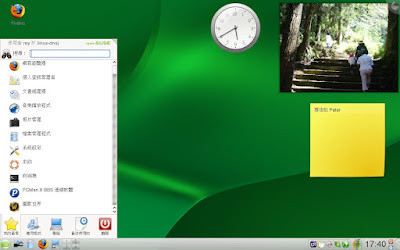
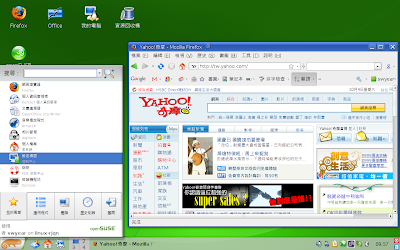
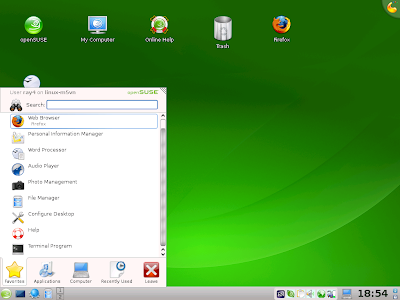
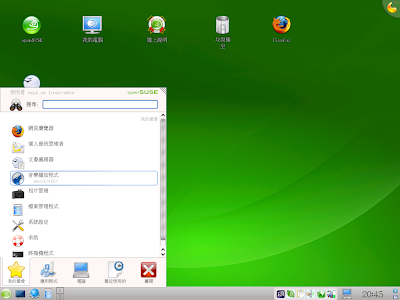
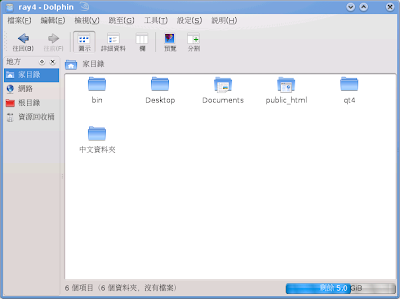
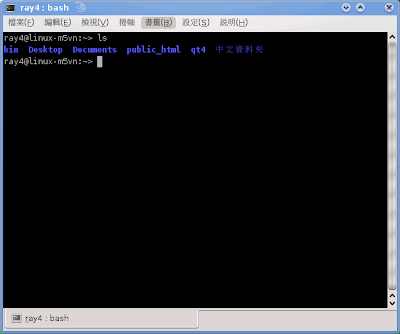
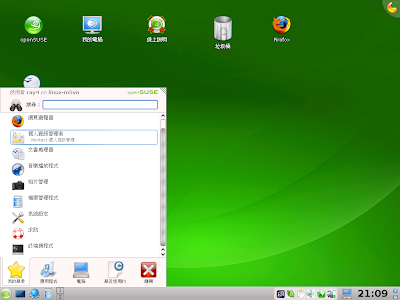
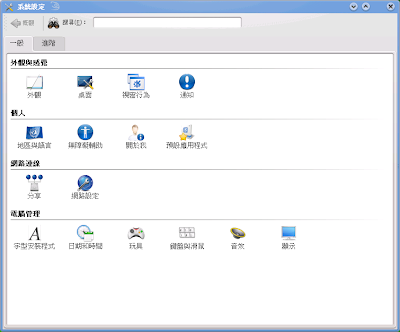
剛裝好的 KDE4 是這樣的
寄件者 openSUSE 11.1

寄件者 openSUSE 11.1

寄件者 openSUSE 11.1

請您升級 swyear 套件庫中的 libqt4-x11
不過目前這個套件庫 11.1 的部份還沒有國內的鏡像,恐怕速度不快
若出現這種情形,直接指定伺服器名稱
而不要用 http://download.opensuse.org/repositories/home:/swyear/openSUSE_11.1
請用德國的鏡像(或自己找其他直接連線順暢的)
http://ftp5.gwdg.de/pub/opensuse/repositories/home:/swyear/openSUSE_11.1
指令如下:
# zypper ar http://ftp5.gwdg.de/pub/opensuse/repositories/home:/swyear/openSUSE_11.1/ swyear
# zypper in libqt4-x11

直接下載安裝:
在上面連結的 i586 或 x86_64 目錄中找到 libqt4-x11 下載
# rpm -Uvh libqt4-x11*

安裝完重新登入,應該就會是這樣
寄件者 openSUSE 11.1

寄件者 openSUSE 11.1

寄件者 openSUSE 11.1

注意看上面這張圖,在 Panel 上的中文點陣字會變成白色
這是因為開啟了次像素顯示的關係(11.1 可以不必再重裝 freetype2,直接開啟次像素)
請關閉 subpixel hinting
(可以開啟平滑字型設定,但不能開次像素顯示)
如下圖就正常了
寄件者 openSUSE 11.1

事實上若您要用點陣字,也不必要用次像素顯示

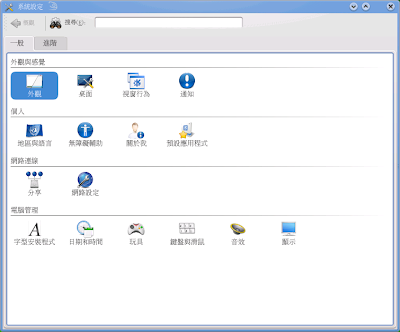
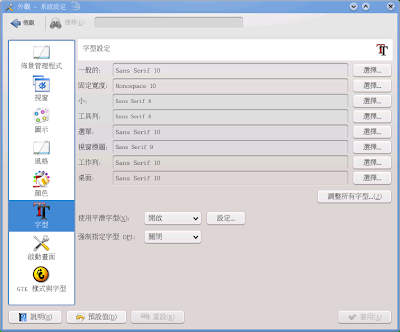
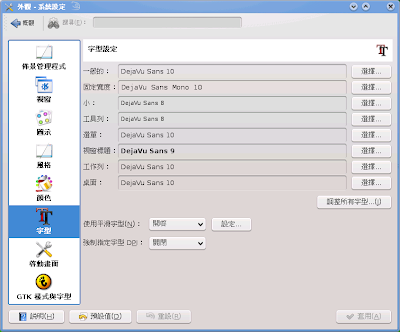
在 KDE4 的系統設定中的外觀->字型的部份不必特別設定
英文字母會優先使用英文字型
只有 monospace 還是要設定成 DejaVu Sans Mono
有關 libqt4 的字型顯示的討論
請參考摩托學園的討論,可能要到 4.5.x 的版本才會修正

若使用黑體字,就要開啟次像素顯示
寄件者 openSUSE 11.1

寄件者 openSUSE 11.1

寄件者 openSUSE 11.1


第二個問題是 firefox 的輸入區太長的問題
確定是 pango 的問題
已經有上游的修正了
http://bugzilla.gnome.org/show_bug.cgi?id=563356
我先在套件庫中提供 svn 編譯出來的 pango 套件,請
# zypper in -r swyear pango

或直接下載 pango 套件安裝即可
安裝前
寄件者 openSUSE 11.1

安裝後
寄件者 openSUSE 11.1

看出差別了嗎?

祝大家耶誕節快樂!使用 openSUSE 愉快!
openSUSE 的座右銘: have a lot of fun!

2008年10月4日 星期六

黑體字

看看各種黑體字的效果(兩張圖對應不同的 hinting)

文泉驛:
(可由官方網站swyear 套件庫取得)
寄件者 chinese fonts - hei style

寄件者 chinese fonts - hei style


Droid:
(請參考 hyperrate 的字型討論區)
寄件者 chinese fonts - hei style

寄件者 chinese fonts - hei style


微軟正黑體/雅黑:
(在您的 vista 中可以找到 msjh.ttf msjhbd.ttf msyh.ttf msyhbd.ttf)
正黑和雅黑有真正的粗體,應該可以在目前的 qt4 程式中顯示粗體而不用模擬
寄件者 chinese fonts - hei style

寄件者 chinese fonts - hei style


可以將圖片下載放大仔細觀察,看看您喜歡哪一種
可以使用這個設定檔 57-hei.conf 放到 /etc/fonts/conf.d/ 中
<?xml version="1.0"?>
<!DOCTYPE fontconfig SYSTEM "fonts.dtd">
<fontconfig>

<!--
Set fonts to be preferred when the standard aliases "serif", "sans-serif",
and "monospace" are used.
-->

<match target="font">
<test compare="eq" name="family">
<string>Microsoft JhengHei</string>
<string>微軟正黑體</string>
<string>Microsoft YaHei</string>
<string>微软雅黑</string>
<string>Droid Sans Fallback</string>
<string>WenQuanYi Zen Hei</string>
<string>文泉驛正黑</string>
<string>文泉驿正黑</string>
</test>
<!-- Enable whatever you want
<edit name="globaladvance"><bool>false</bool></edit>
<edit name="spacing"><int>0</int></edit>
<edit name="antialias"><bool>true</bool></edit>
<edit name="hinting"><bool>true</bool></edit>
<edit name="hintstyle"><const>hintfull</const></edit>
<edit name="autohint"><bool>true</bool></edit>
<edit name="minspace"><bool>false</bool></edit>
<edit name="rgba" mode="assign"><const>rgb</const></edit>
-->
<edit name="embeddedbitmap"><bool>false</bool></edit>
</match>

<alias>
<family>serif</family>
<prefer>
<family>Times New Roman</family>
<family>Thorndale AMT</family>
<family>DejaVu Serif</family>
<family>SUSE Serif</family>
<family>Bitstream Vera Serif</family>
<family>Nimbus Roman No9 L</family>
<family>Microsoft JhengHei</family>
<family>微軟正黑體</family>
<family>Microsoft YaHei</family>
<family>微软雅黑</family>
<family>Droid Serif</family>
<family>Droid Sans Fallback</family>
<family>WenQuanYi Zen Hei</family>
<family>文泉驛正黑</family>
<family>文泉驿正黑</family>
<family>AR PL New Kai</family>
<family>文鼎PL新中楷</family>
<family>AR PL ZenKai Uni</family>
<family>文鼎PL中楷Uni</family>
<family>AR PL New Sung</family>
<family>文鼎PL新宋</family>
<family>AR PL ShanHeiSun Uni</family>
<family>文鼎PL細上海宋Uni</family>
<family>Luxi Serif</family>
<family>Likhan</family>
<family>Frank Ruehl CLM</family>
<family>FreeSerif</family>
<family>Times</family>
<family>Khmer OS System</family>
<family>TSCu_Times</family>
<family>BPG Chveulebrivi</family>
<family>Nazli</family>
<family>MS PMincho</family>
<family>MS Mincho</family>
<family>HGPMinchoL</family>
<family>HGMinchoL</family>
<family>IPAPMincho</family>
<family>IPAMincho</family>
<family>Sazanami Mincho</family>
<family>Kochi Mincho</family>
<family>CMEXSong</family>
<family>FZSongTi</family>
<family>FZMingTiB</family>
<family>AR PL SungtiL GB</family>
<family>AR PL Mingti2L Big5</family>
<family>UnBatang</family>
<family>Baekmuk Batang</family>
<family>SimSun</family>
<family>HanyiSong</family>
<family>ZYSong18030</family>
</prefer>
</alias>
<alias>
<family>sans-serif</family>
<prefer>
<family>Arial</family>
<family>Albany AMT</family>
<family>Verdana</family>
<family>DejaVu Sans</family>
<family>SUSE Sans</family>
<family>Bitstream Vera Sans</family>
<family>Nimbus Sans L</family>
<family>Microsoft JhengHei</family>
<family>微軟正黑體</family>
<family>Microsoft YaHei</family>
<family>微软雅黑</family>
<family>Droid Sans</family>
<family>Droid Sans Fallback</family>
<family>WenQuanYi Zen Hei</family>
<family>文泉驛正黑</family>
<family>文泉驿正黑</family>
<family>AR PL New Sung</family>
<family>文鼎PL新宋</family>
<family>AR PL ShanHeiSun Uni</family>
<family>文鼎PL細上海宋Uni</family>
<family>Luxi Sans</family>
<family>Mukti Narrow</family>
<family>Nachlieli CLM</family>
<family>FreeSans</family>
<family>Helvetica</family>
<family>Khmer OS System</family>
<family>TSCu_Paranar</family>
<family>BPG Glaho</family>
<family>Terafik</family>
<family>Meiryo</family>
<family>MS PGothic</family>
<family>MS Gothic</family>
<family>HGPGothicB</family>
<family>HGGothicB</family>
<family>IPAPGothic</family>
<family>IPAGothic</family>
<family>Sazanami Gothic</family>
<family>Kochi Gothic</family>
<family>CMEXSong</family>
<family>FZSongTi</family>
<family>FZMingTiB</family>
<family>AR PL SungtiL GB</family>
<family>AR PL Mingti2L Big5</family>
<family>UnDotum</family>
<family>Baekmuk Gulim</family>
<family>Baekmuk Dotum</family>
</prefer>
</alias>
<alias>
<family>monospace</family>
<prefer>
<family>Consolas</family>
<family>Andale Mono</family>
<family>DejaVu Sans Mono</family>
<family>SUSE Sans Mono</family>
<family>Bitstream Vera Sans Mono</family>
<family>Courier New</family>
<family>Cumberland AMT</family>
<family>Nimbus Mono L</family>
<family>Microsoft JhengHei</family>
<family>微軟正黑體</family>
<family>Microsoft YaHei</family>
<family>微软雅黑</family>
<family>Droid Sans Mono</family>
<family>Droid Sans Fallback</family>
<family>WenQuanYi Zen Hei</family>
<family>文泉驛正黑</family>
<family>文泉驿正黑</family>
<family>AR PL New Sung Mono</family>
<family>文鼎PL新宋 Mono</family>
<family>AR PL ShanHeiSun Uni</family>
<family>文鼎PL細上海宋Uni</family>
<family>AR PL New Kai</family>
<family>文鼎PL新中楷</family>
<family>Luxi Mono</family>
<family>Mukti Narrow</family>
<family>Miriam Mono CLM</family>
<family>FreeMono</family>
<family>Terafik</family>
<family>Khmer OS System</family>
<family>TSCu_Paranar</family>
<family>BPG Courier</family>
<family>MS Gothic</family>
<family>HGGothicB</family>
<family>IPAGothic</family>
<family>Sazanami Gothic</family>
<family>Kochi Gothic</family>
<family>CMEXSong</family>
<family>FZSongTi</family>
<family>FZMingTiB</family>
<family>AR PL SungtiL GB</family>
<family>AR PL Mingti2L Big5</family>
<family>UnDotum</family>
<family>Baekmuk Gulim</family>
<family>Baekmuk Dotum</family>
<family>NSimSun</family>
<family>HanyiSong</family>
<family>ZYSong18030</family>
</prefer>
</alias>

</fontconfig>

當然,最好
使用 1-click 安裝支援次像素顯示的 freetype2

小提示:安裝字型只要把 *.ttf 放在 /usr/share/fonts/truetype/ 裏面
執行 fc-cache 即可

2008年8月8日 星期五

KDE4 and libqt4 font patches (English version)

(繁體中文版在此)
First, Forgive my poor English.
I'll try to show you
Why libqt4 need patches ?
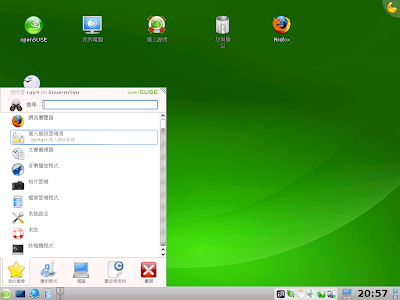
This is kde4.04: I used an openSUSE 11.0 KDE4 Live CD to install this KDE4 system.
Looks nice, is't it?

After fully updated, I install gcin and ttf-arphic-uming, so I can input Chinese words, and uming is an Chinese font that can be used for Chinese both traditional and simplified.


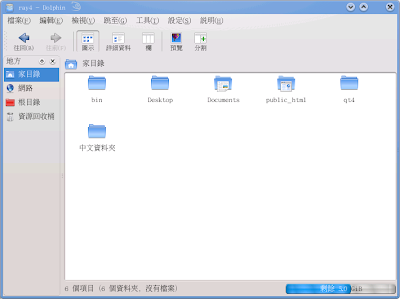
Here you can see something strange. Compared to the same page browsed with firefox3, we notice that all Chinese characters have no bold face.


Here's another problem, uming has embeddedbitmap font in it, which is more readable for small fonts.But you can see that Chinese-named folder use antialias-style, that's not so good for a low resolution screen, fonts is not black enough.


Now, I will change locale to zh_TW and install kde4-l10n package, That's the real desktop we will use.

You can see all fonts are not the same. When use zh_TW locale, all fonts will match to Chinese font include English character.-->But this is another topic...


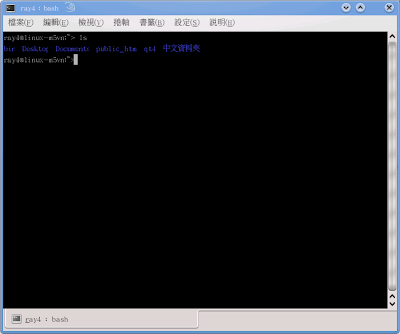
Even Konsole use Chinese font, but most Chinese fonts are not monospace.
So some words cannot show correctly. Like "Deskto"p"", "p" is cut into half like an "l".
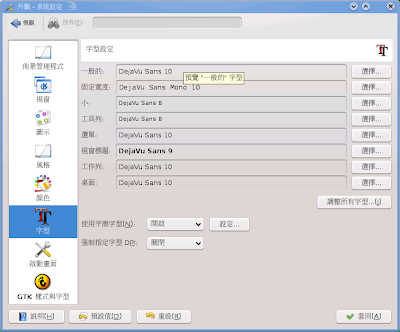
So after installing KDE, The first thing you have to do is to change font setting like this:

Then


OK, Now let's get into topic.
We still need qt4 to show embeddedbitmap font and fake bold face.
Belly had make some patches for qt4 font rendering, see the thread below:
http://moto.debian.org.tw/viewtopic.php?t=13003 (In Chinese)
You can follow the links above to get these patches.
basic.diff : improve hint-style matching
embeddedbitmap.diff : embeddedbitmap support
add-missing-style.diff : add bold-style to fonts that do not have a real bold-style
synthetic-bold.diff : use freetype to bolder font stroke
ftlcdfil.diff : Lcd Subpixel Filtering (from David Turner)
ignore-global-advance.diff (from Siyuan.nz)
I have test these patches to patch libqt4-4.4.1 in openSUSE Build Service.
http://download.opensuse.org/repositories/home:/swyear/openSUSE_11.0/
If you use openSUSE and want to test these patches,
add my repository and update libqt4-related packages.
Seem work fine, KDE looks beautiful again.


Compare to the screenshots before patching,
You will know what I said.
Chinese fonts can use embeddedbitmap fonts and can have bold-style,
this is not only an eye-candy effect, but a really need for Chinese users.

These patches may need more test and refine,
and we need someone's (that's you!) help to merge into upstream.
If you want to help ( testing, discussing or submiting to upstream or anything)
goto moto's forum to contact with us.
http://moto.debian.org.tw/viewtopic.php?t=13003

A known issue:(for openSUSE 11.0)
If you enable subpixel-hinting in freetype2,
for example, You upgrade your freetype2 from M17N repository,
Chinese characters will disappear on desktop and system tray like below:


Make sure you use freetype2 shiped with openSUSE 11.0.
Disable M17N repo, and run
# zypper in -f freetype2

You'd better run
# ldconfig

again.
I'm Not sure what's the problem.
Plasma? libqt4-4.4.1? or caused by some of these patches?
I'll try to re-diff these patches for libqt4-4.4.0 <--the version openSUSE 11.0 shiped with. And see if these patches work for KDE 4.1. maybe next week...


Let's enjoy KDE4 together!


I'll submit these to openSUSE bugzilla
https://bugzilla.novell.com/show_bug.cgi?id=374066