English version Here1. 如何安裝 google earth ?
到
http://www.google.com/earth/index.html 下載最新的穩定版 google earth,
請選擇專為 Fedora/openSUSE 準備的 rpm 格式套件。
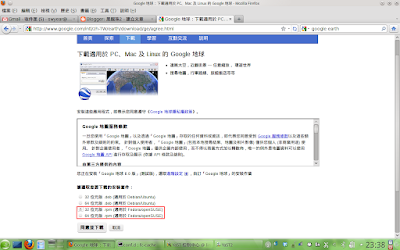
您會得到一個 google-earth-stable_current_*.rpm 的檔案,
在終端機輸入命令即可安裝:
$ sudo rpm -ivh google-earth-stable_current_*.rpm
或
$ sudo zypper in google-earth-stable_current_*.rpm
您也可以就直接點擊該檔案,使用 "安裝/移除軟體" 來安裝他。
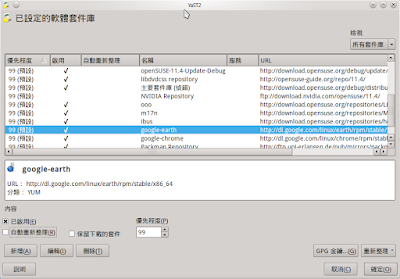
這個套件會自動在您的系統新增一個軟體套件庫,
以後您可以使用這個套件庫來更新您的 google earth。
2. 啟動 Google Earth
您可以在您的主選單中找到 Google Earth :
開始 -> 網際網路 -> 其他 -> Google Earth(3D planet viewer)
或用命令啟動
$ google-earth
google earth (英文版)
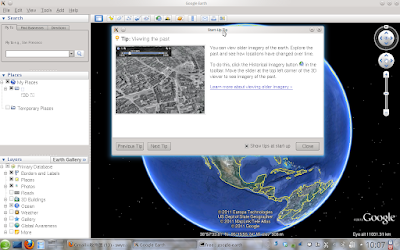
google earth (繁體中文版, zh_TW)
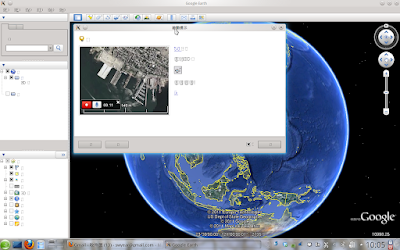
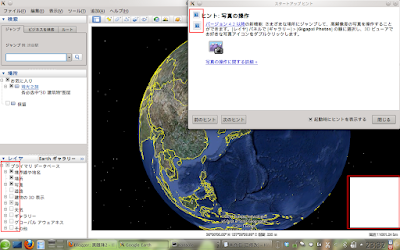
google earth (日文版)
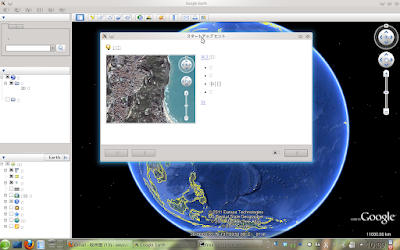
你會看見很醜的介面字型,而且非拉丁字元變成方塊或看不見,
google earth rpm 所提供的 qt4 函式庫不支援 fontconfig 以及反鋸齒,
我們必須手動修正。
3. 使用系統的 qt4 函式庫
Google Earth 5.1.x 刪除了 googleearth 目錄中的 libQt* 檔案後,可以在 openSUSE 正常運作,
http://swyear.blogspot.com/2009/04/google-earth-50.html但是從 5.2.x 開始就行不通了。
如果您移除了 googleearth 目錄中的 libQt* ,
GE 就不會動了:
$ sudo rm /opt/google/earth/free/libQt*
$ google-earth
Google Earth has caught signal 11.


We apologize for the inconvenience, but Google Earth has crashed.
This is a bug in the program, and should never happen under normal
circumstances. A bug report and debugging data have been written
to this text file:

/home/****/.googleearth/crashlogs/crashlog-4dda74ff.txt

Please include this file if you submit a bug report to Google.
但這紀錄檔中實在沒什麼太多訊息:
$ cat /home/****/.googleearth/crashlogs/crashlog-4dda74ff.txt
Major Version 6
Minor Version 0
Build Number 0003
Build Date May 17 2011
Build Time 00:40:40
OS Type 3
OS Major Version 2
OS Minor Version 6
OS Build Version 37
OS Patch Version 6
Crash Signal 11
Crash Time 1306162431
Up Time 0.453146

Stacktrace from glibc:
./libgoogleearth_free.so(+0xab953)[0xf7715953]
./libgoogleearth_free.so(+0xabad3)[0xf7715ad3]
[0xffffe400]
但是 Ubuntu 仍可以使用這種方法來使用系統 qt4 函式庫跑 google-earth :
http://blog.slps.tp.edu.tw/00086/?p=275 (中文版)
http://people.debian.org.tw/~chihchun/2010/09/12/google-earth-for-linux/ (中文版)
4. Debug google earth
您需要啟用偵錯(Debug)套件庫安裝一些 debuginfo 套件
$ cd /opt/google/earth/free/
$ export LD_LIBRARY_PATH=.:$LD_LIBRARY_PATH
$ gdb ./googleearth-bin
GNU gdb (GDB) SUSE (7.2-3.3)
Copyright (C) 2010 Free Software Foundation, Inc.
License GPLv3+: GNU GPL version 3 or later
This is free software: you are free to change and redistribute it.
There is NO WARRANTY, to the extent permitted by law.  Type "show copying"
and "show warranty" for details.
This GDB was configured as "x86_64-suse-linux".
For bug reporting instructions, please see:
...
Reading symbols from /opt/google/earth/free/googleearth-bin...(no debugging symbols found)...done.
(gdb) r
Starting program: /opt/google/earth/free/googleearth-bin
[Thread debugging using libthread_db enabled]
Missing separate debuginfo for /usr/lib/libstdc++.so.6
Try: zypper install -C "debuginfo(build-id)=ca1ade9217cff47a2dc7f94eac086d6bfc524f2b"
Missing separate debuginfo for /lib/libgcc_s.so.1
Try: zypper install -C "debuginfo(build-id)=be962e2ce565653c0dc2c21bebdfde348c81d3b9"

Program received signal SIGSEGV, Segmentation fault.
poolGrow (pool=0x80a31d8) at lib/xmlparse.c:6103
warning: Source file is more recent than executable.
6103          pool->freeBlocks = pool->freeBlocks->next;
(gdb) bt
#0  poolGrow (pool=0x80a31d8) at lib/xmlparse.c:6103
#1  0xf497a17e in poolAppend (pool=0x80a31d8, enc=0xf5497e20,
ptr=0x80ae641 "family\">\n\t\t\t<string>serif</string>\n\t\t</test>\n\t\t<test name=\"weight\" compare=\"more_eq\">\n\t\t\t<int>200</int>\n\t\t</test>\n\t\t<test name=\"size\" compare=\"more_eq\">\n\t\t\t<double>24</double>\n\t\t</test>\n\t\t<edit name=\""...,
end=0x80ae647 "\">\n\t\t\t<string>serif</string>\n\t\t</test>\n\t\t<test name=\"weight\" compare=\"more_eq\">\n\t\t\t<int>200</int>\n\t\t</test>\n\t\t<test name=\"size\" compare=\"more_eq\">\n\t\t\t<double>24</double>\n\t\t</test>\n\t\t<edit name=\"family"...) at lib/xmlparse.c:6036
#2  0xf497a1af in poolStoreString (pool=0x80a31d8,
enc=<value optimized out>,
ptr=0x80ae641 "family\">\n\t\t\t<string>serif</string>\n\t\t</test>\n\t\t<test name=\"weight\" compare=\"more_eq\">\n\t\t\t<int>200</int>\n\t\t</test>\n\t\t<test name=\"size\" compare=\"more_eq\">\n\t\t\t<double>24</double>\n\t\t</test>\n\t\t<edit name=\""...,
end=0x80ae647 "\">\n\t\t\t<string>serif</string>\n\t\t</test>\n\t\t<test name=\"weight\" compare=\"more_eq\">\n\t\t\t<int>200</int>\n\t\t</test>\n\t\t<test name=\"size\" compare=\"more_eq\">\n\t\t\t<double>24</double>\n\t\t</test>\n\t\t<edit name=\"family"...) at lib/xmlparse.c:6089
#3  0xf497c682 in storeAtts (parser=0x80a3038, enc=0xf5497e20,
attStr=0x80ae635 "<test name=\"family\">\n\t\t\t<string>serif</string>\n\t\t</test>\n\t\t<test name=\"weight\" compare=\"more_eq\">\n\t\t\t<int>200</int>\n\t\t</test>\n\t\t<test name=\"size\" compare=\"more_eq\">\n\t\t\t<double>24</double>\n\t\t</test>\n\t\t"..., tagNamePtr=0x80a4bbc,
bindingsPtr=0x80a4bdc) at lib/xmlparse.c:2706
#4  0xf497dddf in doContent (parser=<value optimized out>, startTagLevel=0,
enc=0xf5497e20,
s=0x80ae635 "<test name=\"family\">\n\t\t\t<string>serif</string>\n\t\t</test>\n\t\t<test name=\"weight\" compare=\"more_eq\">\n\t\t\t<int>200</int>\n\t\t</test>\n\t\t<test name=\"size\" compare=\"more_eq\">\n\t\t\t<double>24</double>\n\t\t</test>\n\t\t"..., end=0x80aeaf6 "", nextPtr=0x80a3050,
haveMore=1 '\001') at lib/xmlparse.c:2356
#5  0xf497ece2 in contentProcessor (parser=0x80a3038,
start=0x80ae458 "</alias>\n\n\t<!-- Persian fantasy fonts -->\n\t<alias>\n\t\t<family>fantasy</family>\n\t\t<accept>\n\t\t\t<family>Homa</family>\n\t\t\t<family>Kamran</family>\n\t\t\t<family>Fantezi</family>\n\t\t\t<family>Tabassom</family>\n\t\t"..., end=0x80aeaf6 "", endPtr=0x80a3050)
您可以看見裏面有些關於 persian font 的字串...
所以這些字型設定檔可能有問題。
試著移除 /etc/fonts/conf.d/65-fonts-persian.conf 的連結
$ sudo rm /etc/fonts/conf.d/65-fonts-persian.conf
然後 GE 就可以啟動了,而且字型也會有反鋸齒效果。
但是,有些圖片不見了...
Google Earth 使用反鋸齒字型的效果(英文)
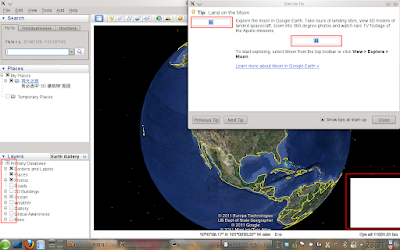
Google Earth 使用反鋸齒字型的效果(中文)
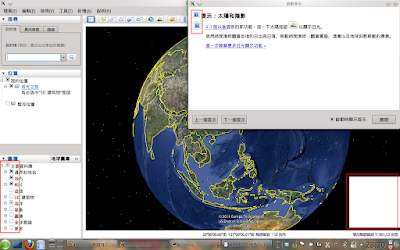
Google Earth 使用反鋸齒字型的效果(日文)
遵照上面 Ubuntu 教學的連結,您還需要 libfreeimage3 套件。
您可以在
http://software.opensuse.org 搜尋並下載 libfreeimage3
您需要的是
libfreeimage3-*.i586.rpm, 因為 googleearth 是一個 32位元的應用程式
即使您使用 x86_64 系統,您還是需要這個 i586 套件!
下載套件並使用命令安裝
# rpm -ivh libfreeimage3*.rpm
然後編輯 googleearth script 加上
"export LD_PRELOAD=/usr/lib/libfreeimage.so.3" :
cd $script_path;
export LD_PRELOAD=/usr/lib/libfreeimage.so.3
LD_LIBRARY_PATH=.:$LD_LIBRARY_PATH ./googleearth-bin "$@"
重新啟動 google-earth :
小圖示可以在左方圖層框中顯示了,
但不是所有的圖片都能正常顯示:
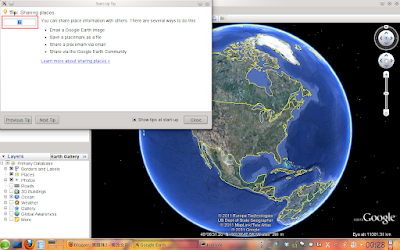
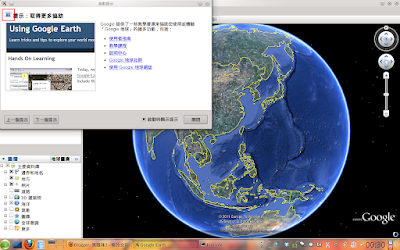
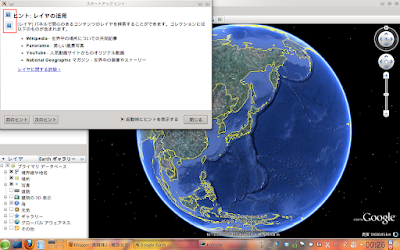
而且所有跳出視窗 (Panoramio 和 360Cities) 或內建瀏覽器的照片都會看不到:
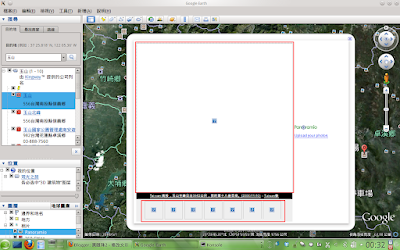
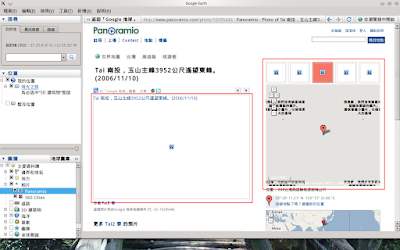
但是使用您的瀏覽器 (firefox) 可以顯示您應該看到像這樣才對:
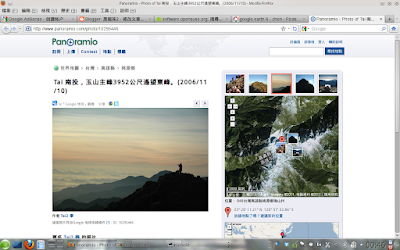
這是因為不相容函式庫的關係 (libqjpeg.so, libqgif.so)
5. 還要再做些處理
rmtk313 在
http://www.google.com/support/forum/p/earth/thread?tid=3fe67ea84f63bcd8&hl=en發現到,您最好要使用
Qt libraries from Qt4.6.3 ,
(64-bit system need libphonon.so.4)
and libqjpeg.so libqgif.so from Google Earth 5.2 ,
and libfreeimage.so.3 ver 3.1.3
而且 rmtk313 把這些檔案都替我們打包了起來
放在這裡。
下載 replacement.7z (7z 格式),
您需要 p7zip 套件來解壓縮並取出檔案
(您可以用 zypper in p7zip 來安裝)
$ 7z x replacement.7z
(如果您已經安裝了 p7zip ,您只要點擊 replacement.7z 這個檔案,
Ark 或 File-roller 會啟用一個圖形使用者介面幫您解開檔案)
在 rmtk313 包裹中的檔案:
googleearth -- 啟動 scripts
libphonon.so.4 -- 由 Debain Sqeeze 取得的函式庫
libQtGui.so.4 -- 由 Debain Sqeeze 取得的 Qt 函式庫(4.6.3 版)
libQtWebKit.so.4 -- 由 Debain Sqeeze 取得的 Qt 函式庫(4.6.3 版)
libfreeimage.so.3 -- 由 Ubuntu Maverick 取得的函式庫(3.13.1 版)
libQtCore.so.4 -- 由 Debain Sqeeze 取得的 Qt 函式庫(4.6.3 版)
libQtNetwork.so.4 -- 由 Debain Sqeeze 取得的 Qt 函式庫(4.6.3 版)
plugins -- 由 google earth 5.2.x 取得的,包含 libqgif.so 和 libqjpeg.so 的目錄
您可能不需要所有的檔案
在我的 openSUSE 11.3 x86 系統,
在完成上面做的事後,
我只需要在 plugins/imageformat/目錄中的 (libqjpeg.so libqgif.so)
使用這些檔案來取代 google-earth 中的
$ sudo cp plugins/imageformat/libq* /opt/google/earth/free/plugins/imageformats/
然後所有在 Panoramio 和 360Cities 中的照片就可以正常顯示了。
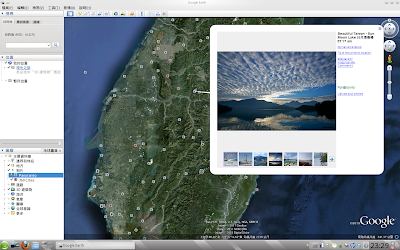
但是在我的 openSUSE 11.4 x86_64 筆記型電腦上,
如果我用這些從 5.2 取得的 libqjpeg.so libqgif.so 來取代原本的,
GE6 就會崩潰 (卡住不動),
我必須使用 rmtk313 所提供的所有檔案,
然後 Google Earth 6 才能跑。
6. 從 openSUSE 11.3 取得所需的檔案
使用 rmtk313 的檔案測試成功後,
我覺得若用 openSUSE 的函式庫應該會更相容
在此分享:
http://dl.dropbox.com/u/6331820/ge6_replacement_opensuse.tar.gz使用這些檔案取代 google-earth 中內建的檔案
下載這團球球並解壓縮,然後執行 install.sh
$ tar -zxvf ge6_replacement_opensuse.tar.gz
ge6_replacement_opensuse/
ge6_replacement_opensuse/libQtWebKit.so.4
ge6_replacement_opensuse/googleearth
ge6_replacement_opensuse/libQtGui.so.4
ge6_replacement_opensuse/install.sh
ge6_replacement_opensuse/plugins/
ge6_replacement_opensuse/plugins/imageformats/
ge6_replacement_opensuse/plugins/imageformats/libqjpeg.so
ge6_replacement_opensuse/plugins/imageformats/libqgif.so
ge6_replacement_opensuse/libQtNetwork.so.4
ge6_replacement_opensuse/libQtCore.so.4
ge6_replacement_opensuse/libfreeimage.so.3
$ cd ge6_replacement_opensuse/
$ ./install.sh
install.sh script 會
(1) 移除 /etc/fonts/conf.d/65-fonts-persian.conf
(2) 安裝 libphonon 以及相關的套件
(3) 備份檔案,複製 googleearth(已加入了libfreeimage 的東東), libQt*, libfreeimage.* (由 openSUSE 11.3 取得的) 和 plugins/imageformats/libq* (由 GE 5.2 取得的) 到 google-earth-目錄
底下是這個 install.sh 的內容
#!/bin/bash
echo "This script will copy needed files for Google Earth 6"
echo "You have to install Google Earth before running this script"
echo "Need root password !"
#Remove buggy link
test -e /etc/fonts/conf.d/65-fonts-persian.conf && sudo rm /etc/fonts/conf.d/65-fonts-persian.conf
#Check architecture
rpmlist=""
arch=$(uname -m)
if [ "$arch" == 'x86_64' ]
then
    test -e /usr/lib/libphonon.so.4 || rpmlist="libphonon4-32bit"
    test -e /usr/lib/libaudio.so.2 || rpmlist="$rpmlist libaudio2-32bit"
    test -e /usr/lib/libpulse-mainloop-glib.so.0 || rpmlist="$rpmlist libpulse-mainloop-glib0-32bit"
else
    test -e /usr/lib/libphonon.so.4 || rpmlist="libphonon4"
    test -e /usr/lib/libaudio.so.2 || rpmlist="$rpmlist libaudio2"
    test -e /usr/lib/libpulse-mainloop-glib.so.0 || rpmlist="$rpmlist libpulse-mainloop-glib0"
fi
#Install needed packages
if [ "$rpmlist" != "" ]
then
    echo "$rpmlist will be install"
    sudo zypper in $rpmlist
fi
#Copy all files to googleearth_dir
FILEDIR=$(cd `dirname $0` && pwd)
sudo rm -r /opt/google/earth/free/*-orig
for qtfile in /opt/google/earth/free/libQt*.4
do
sudo mv $qtfile $qtfile-orig
done
sudo mv /opt/google/earth/free/googleearth /opt/google/earth/free/googleearth-orig
sudo mv /opt/google/earth/free/plugins /opt/google/earth/free/plugins-orig
sudo cp -r $FILEDIR/* /opt/google/earth/free/
sudo rm /opt/google/earth/free/install.sh
echo "Done! Have a lot of fun!"
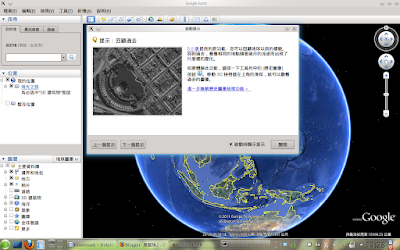
再次執行 google-earth ,幾乎所有功能都正常了:
啟動
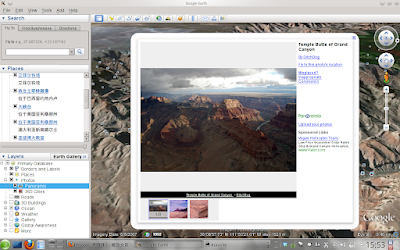
Panoramio 跳出視窗
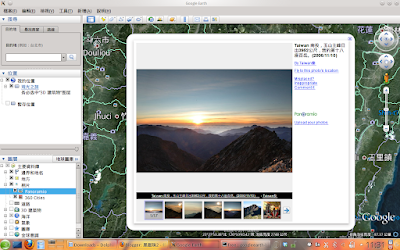
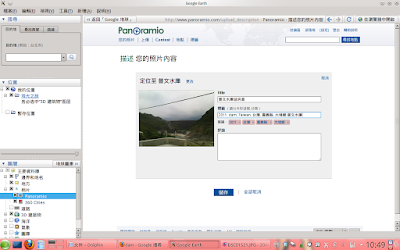
您可以上傳照片到 Panoramio
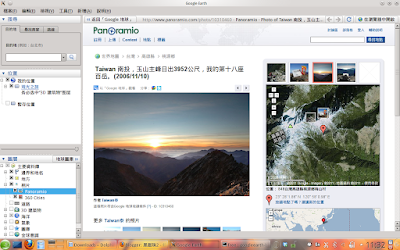
使用內建瀏覽器檢視照片
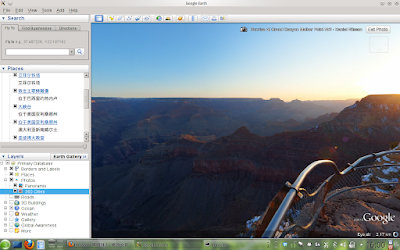
360cities
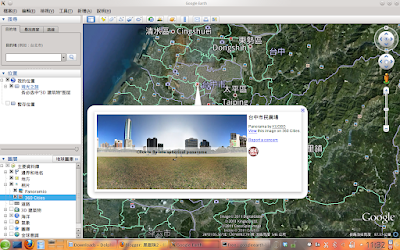
3D 建築物,您可以在搜尋框中輸入中文
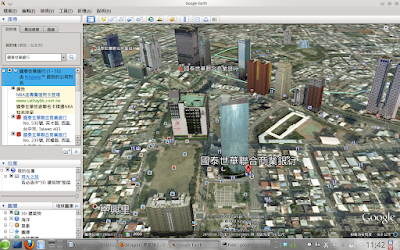
歡迎到台中玩
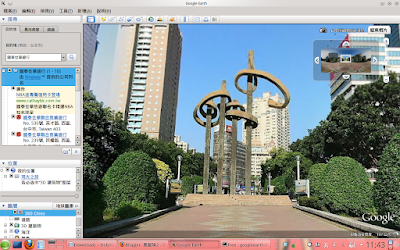
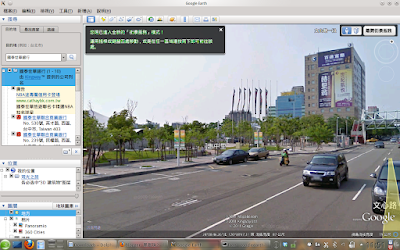
街景
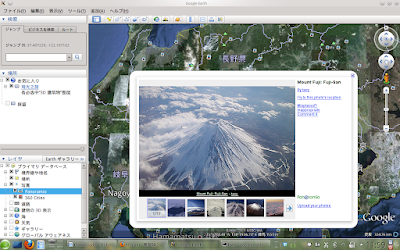
使用日文介面啟動
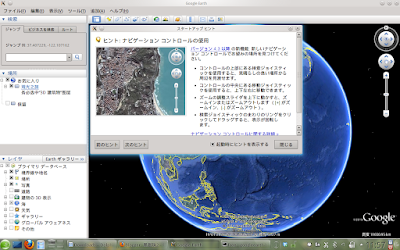
Mt. Fuji 富士山·ふじさん
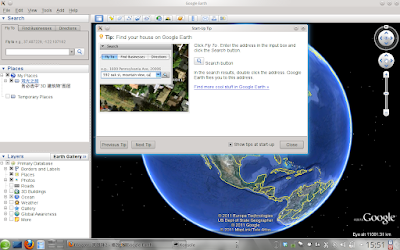
使用英文介面啟動
大峽谷 Grand Canyon
大峽谷的 360 cities 照片之一
缺點:
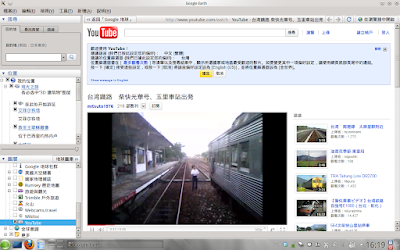
flash 無法在內嵌的跳出視窗中運作真的蠻冏的
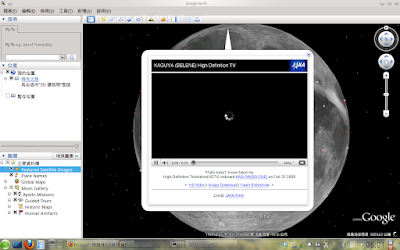
點擊影片螢幕視窗可以使用內建的瀏覽器中由 youtube 觀賞
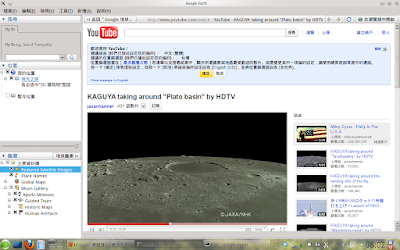
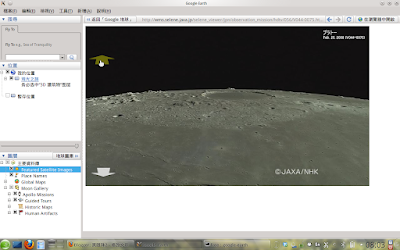
Youtube 圖層也是使用 flash
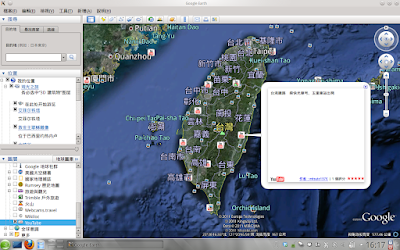
所以必須直接連到網站來看
7. 小提醒
(1). 如果相關的 bug 還沒解決,更新 google-earth 或 fontconfig 之後,你必須重新執行安裝 script
(2). 在 openSUSE 11.3 x86 系統與 openSUSE 11.4 x84_64 系統測試成功
(3). Ubuntu 使用者可以用 rmtk313 提供的檔案試試看


